Download macunfilm
System Requirements and Installation
Current release
Loading version
What’s new
Version 1.39.5Added new feature “Auto White Balance”.
Hardware
- Apple computer from 2012 or newer
- Metal-compatible graphics processor
- External and multi-GPU setups are supported on Intel-based hardware only
Software
- macOS 13 Ventura or newer
- DaVinci Resolve 19 or newer
- Internet connection for licence activation and periodic verification
Compatibility notes
- Virtual machines and modified macOS installations are outside the supported configurations
- Intel Iris and Intel HD Graphics may show instability or visual artefacts; a supported external GPU is recommended
Installation
Install on macOS
-
Download and open the packageDownload the latest macOS version, save your work and quit DaVinci Resolve. Unzip the download and double-click the macunfilm PKG. If macOS shows this warning, select Done — not Move to Trash.
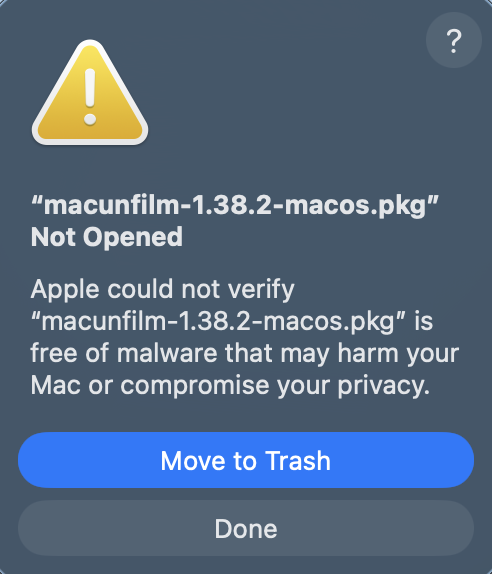
Close the first warning with Done. -
Allow macunfilm in Privacy & SecurityOpen System Settings → Privacy & Security, scroll to the Security section and select Open Anyway beside the blocked macunfilm package.
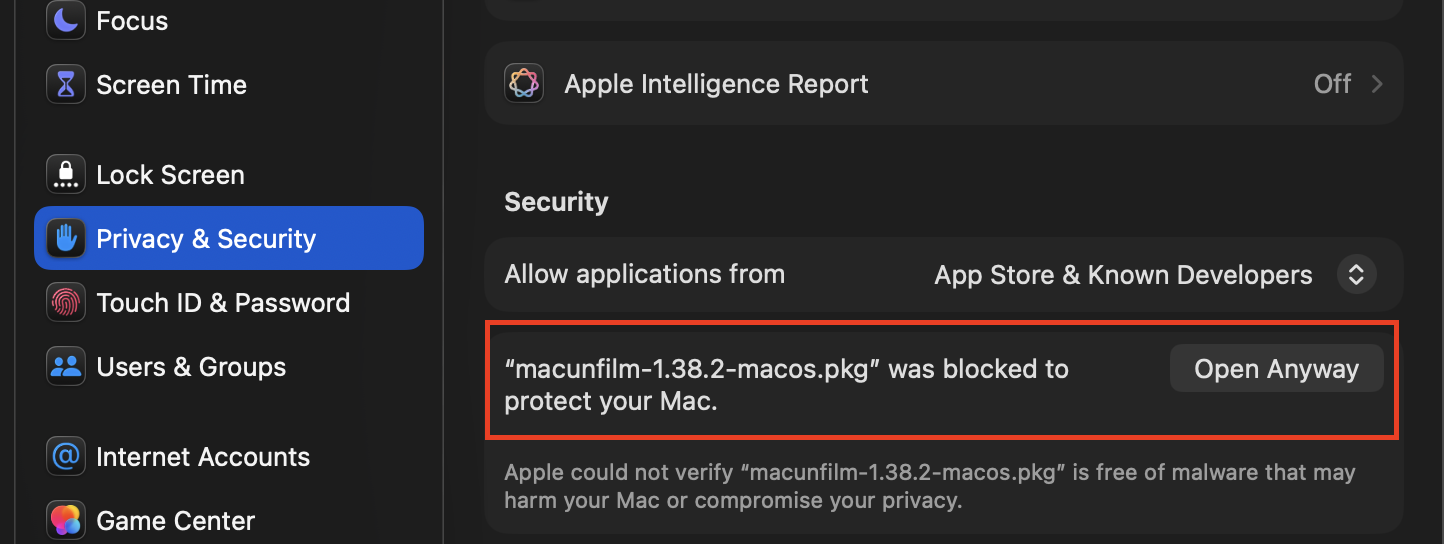
Select Open Anyway for the macunfilm package. -
Confirm Open AnywaymacOS asks you to confirm the package once more. Check that the package name begins with macunfilm, then select Open Anyway.
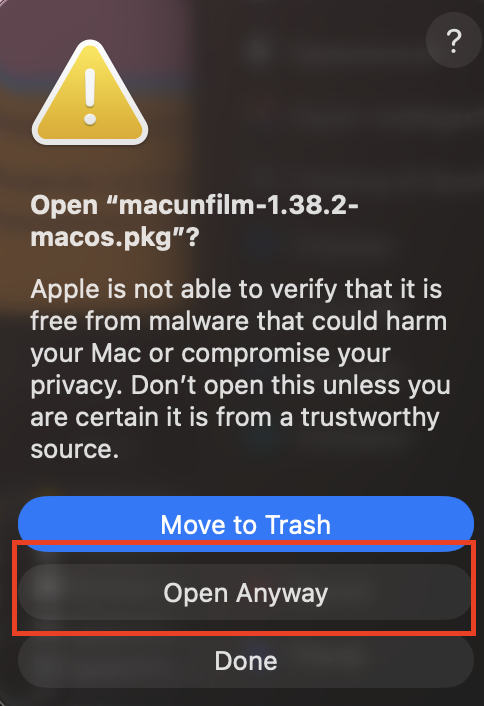
Confirm with the lower Open Anyway button. -
Approve with an administrator accountUse an administrator's Touch ID or select Use Password and enter the administrator password. This approval allows macOS to start the installer.
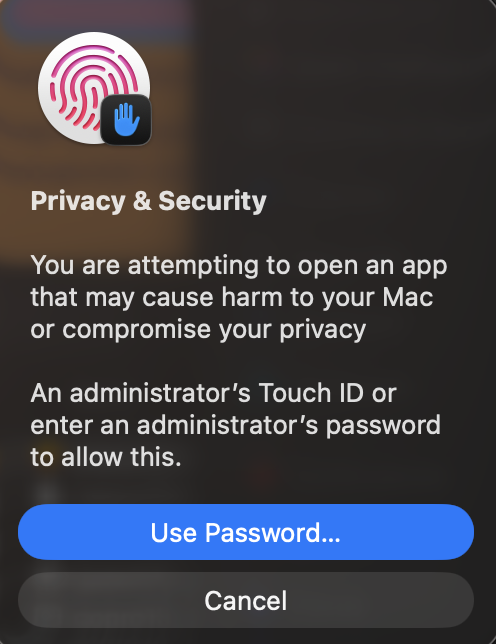
Authenticate with Touch ID or an administrator password. - Complete installationWhen macOS Installer opens, select Continue and follow its steps. You do not need to choose an installation folder; MacunFilm is placed automatically in the standard OpenFX location.
- Restart Resolve and activateOpen DaVinci Resolve, add macunfilm to a Color-page node and activate it with your licence key.